The Best Zendesk Alternative for Small SaaS Teams (2026)

If you're looking for a Zendesk alternative, you've probably already decided Zendesk can do what you need. What's left to decide is whether you want to pay for, learn, and maintain a platform built for support operations far larger than yours.
Zendesk is the enterprise standard for a reason. But "the tool the big companies use" and "the tool a two-to-ten person SaaS team should use" are rarely the same answer. Here's an honest look at where Zendesk earns its reputation, where it becomes a burden for a small team, and what the all-in-one alternative looks like in 2026.
If you're shopping the big names generally, the same logic applies to the best free Intercom alternative and, for something lighter, a Help Scout alternative or a Freshdesk alternative. If the job is collaborating in a shared inbox rather than running a ticketing operation, a Front alternative is the closer comparison. This post takes the heavyweight of the group. And if it's really just live chat you need, there's a separate roundup of the best free live chat tools.
Feature Comparison at a Glance
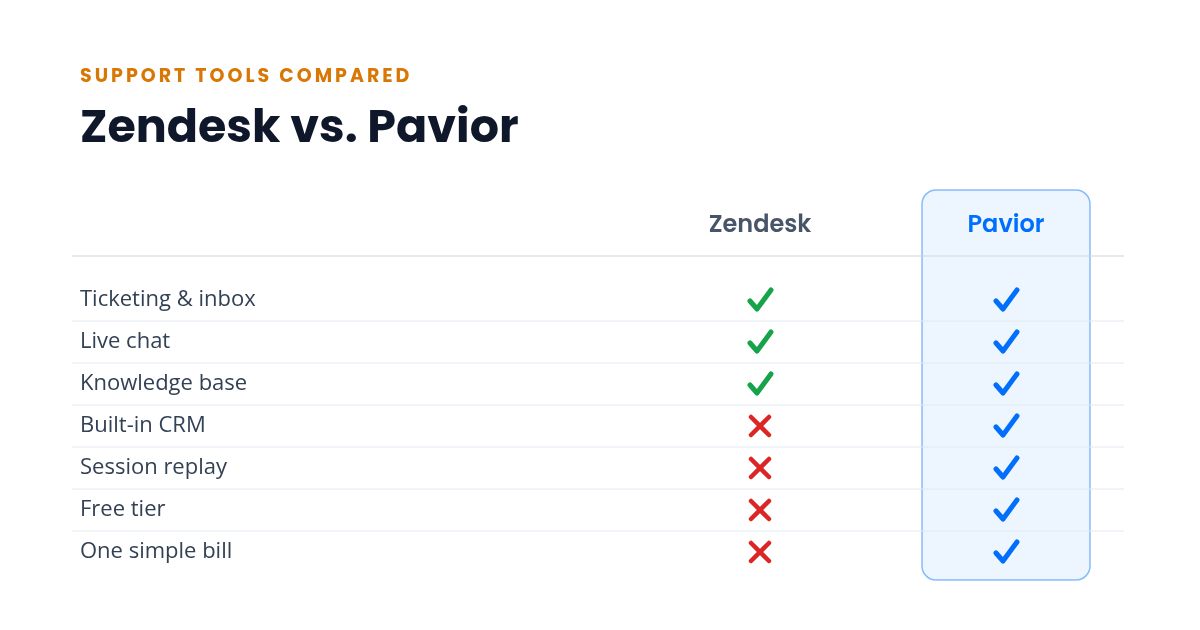
| Capability | Zendesk | Pavior |
|---|---|---|
| Ticketing & shared inbox | ✓ Yes (Suite) | ✓ Yes |
| Live chat | ✓ Yes (Suite) | ✓ Yes |
| Knowledge base | ✓ Yes (Suite) | ✓ Yes |
| Built-in CRM | ✗ Separate product (Sell) | ✓ Yes |
| Session replay | ✗ Third-party only | ✓ Yes |
| Genuine free tier | ✗ Trial only | ✓ Yes |
| One simple bill | ✗ No | ✓ Yes |
The Zendesk Suite covers the core of support deeply: ticketing, help center, chat, and voice in one plan. But the CRM is a separate product, there's no native session replay, and there's no free tier to start on. The sections below walk through what that means day to day.
What Zendesk Does Well
Zendesk has been building support software since 2007, and the depth shows. For a high-volume operation, very little on the market matches it.
Where it shines:
- Ticketing and routing at scale, with SLA management, triggers, and automations that hold up under real volume
- Deep customization for complex, multi-team support operations
- A large app marketplace (over 1,500 apps and integrations) for extending almost any workflow
- Mature multi-channel coverage built into the Suite: email, chat, and voice in one plan
If you run a support org with dozens of agents, tiered escalation, and compliance requirements, Zendesk is a great choice. It was built for exactly that.
Where Zendesk Gets Heavy
The same depth that serves a large org works against a small one.
- It's priced per agent, and the bill climbs with both tier and headcount. The Suite runs roughly $55 per agent/mo on Team to $115 on Professional, billed annually. It bundles ticketing, help center, chat, and voice into that one plan, so those aren't separate purchases. But every seat you add pays the full rate again, and the pieces the Suite leaves out are sold separately on top.
- No built-in CRM. Zendesk's CRM is Sell, a separately priced product with its own per-seat plans starting around $19/seat/mo. Managing customers as records means buying and syncing a second Zendesk product.
- No session replay. When a customer says "it's broken," Zendesk can't show you what they actually did. Session replay only comes from bolting on a third-party tool, then jumping between products to follow one issue.
- The learning curve is steep. Nearly two decades of features means new agents need meaningful training before they're productive, and someone has to own configuration.
- No genuine free tier. Zendesk offers a 14-day trial, not a free plan. For a team validating whether they even need this much, there's no zero-cost way to start.
None of this makes Zendesk a bad product. It marks the line between what an enterprise support platform is for and what a small SaaS team actually needs.
The All-in-One Approach: Less to Assemble
The alternative to "the Zendesk Suite plus Sell plus a third-party session-replay tool plus a campaigns tool" is a single platform that ships all of it together: shared inbox, live chat, help center, campaigns, CRM, session replay, feedback, and in-app announcements under one login.
What you get:
- One login, dashboard, and bill. No integration tax and nothing to sync between products.
- Customer data flows between features by default. A chat enriches the CRM record, a CRM segment triggers a campaign, and a session replay sits next to the conversation it explains.
- Far less to learn and configure, because it's one interface instead of a suite plus add-ons.
- Straightforward pricing that doesn't climb with every seat and every product.
The trade-offs:
- All-in-one platforms are newer, so the third-party ecosystem is smaller than Zendesk's marketplace.
- Any single feature may not match the depth of a dedicated enterprise tool. If you need Zendesk-level routing and SLA workflows, a consolidated platform may not be there yet.
- You're consolidating on one vendor, which means trusting that vendor's direction.
How to Decide
Stay with Zendesk if:
- You run a high-volume operation with complex routing, SLAs, and multi-team escalation
- You have someone whose job includes owning and customizing the platform
- You need enterprise-grade compliance, audit, and voice at scale
Choose an all-in-one platform if:
- You're a small to mid-size SaaS team that needs chat, CRM, and a help center that deflects common questions without buying a CRM and a replay tool on top of your help desk
- You want to start on a free tier and grow into paid features instead of committing up front
- You'd rather not pay the per-seat, per-product bill or maintain the integrations between them
- You're weighing the bigger players too and want a cheaper alternative to Intercom, compared honestly against Zendesk and the all-in-one option, with the per-seat cost worked out at each team size
The Cost Comparison
Here's an indicative monthly comparison for a two-person team. The Zendesk column assumes Suite seats plus the products it doesn't include (CRM, session replay, campaigns, feedback) bought separately:
| Capability | Zendesk + separate tools | All-in-one |
|---|---|---|
| Suite: support, chat, help center, voice (2 agents) | $110-230 | Included |
| CRM (Sell, 2 seats) | $38-110 | Included |
| Session replay (third-party) | $120-240 | Included |
| Email campaigns (separate tool) | $90-300 | Included |
| Feedback (separate tool) | $60-150 | Included |
| Total | ~$418-1,030/mo | $0-99/mo |
The gap isn't only the invoice. It's also the time spent managing the integrations between all those products, which never shows up on a bill.
For a direct head-to-head with the other big competitor, see Intercom vs Zendesk.
Comparing more than Zendesk? See the full field in our roundup of the best customer support software for small SaaS teams.
Try the All-in-One Approach
Pavior includes ticketing, live chat, session replay, CRM, campaigns, feedback collection, announcements, a help center, and an installable mobile app, all in a single dashboard. The free tier gives a two-person team every feature to get started, and paid plans add seats as you grow.
Try Pavior for free at pavior.com