The Hidden Cost of Tab-Switching for Support Teams

Your support team has a live chat tool in one tab, a CRM in another, a help center in a third, and an email campaign platform in a fourth. Maybe a session recording tool in a fifth. Each one has its own login, its own notification system, and its own version of the customer's story.
It feels manageable, until you realize how much time and focus you're losing.
The Cost of Context Switching
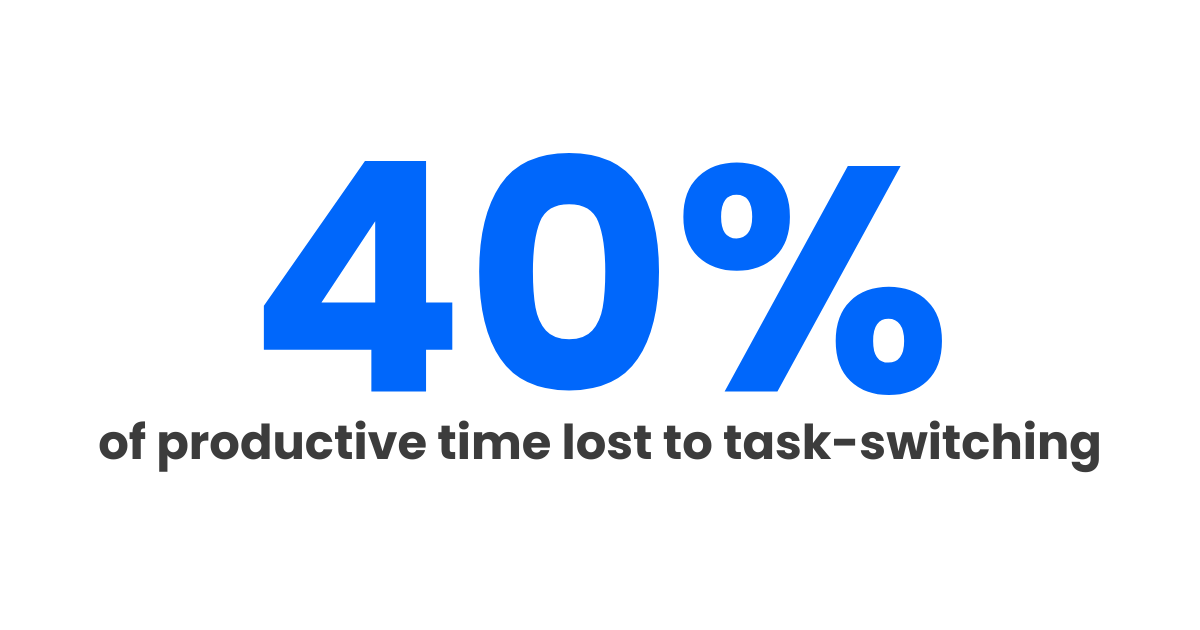
University of Michigan research, summarized by the APA, found that brief mental blocks from task-switching can cost as much as 40% of productive time. That's not just toggling between browser tabs. It's the mental cost of re-orienting yourself every time you move from one tool to another.
For support teams, this plays out dozens of times a day. A customer messages you on live chat. You check the CRM for context. You search the help center to find the right article to send. You hop over to your session recording tool to see what the customer actually did. Then back to chat to respond.
Each switch feels small. But they compound. Over a full day, your team spends more time navigating tools than helping customers. Slow response times are often a downstream symptom of the same fragmentation.
The Subscription Tax
Beyond time, there's a direct financial cost. Most SaaS support teams cobble together a stack that looks something like this. Prices below are from each tool's lowest paid tier, billed monthly:
- Live chat: $29/seat/mo (Intercom Essential)
- CRM: $20/seat/mo (HubSpot Sales Hub Starter)
- Help center: $29/user/mo (Freshworks Growth)
- Email campaigns: $13/mo (Mailchimp Essentials)
- Session recording: $61/mo (Amplitude Plus)
- Feedback collection: $39/mo (Typeform Basic)
- In-app announcements: $89/mo (AnnounceKit Essentials)
Even at the lowest paid tier of every category, a single-agent team is paying over $250 a month. Move to mid-tier plans, add a second or third agent, and you're past $425 before integration costs (Zapier, developer hours) enter the picture.
The Integration Problem
Getting seven tools to talk to each other is a project in itself. You need Zapier workflows, API connections, or manual data entry to keep customer information consistent across platforms. When an integration breaks (and it will), you're left with incomplete data and a support agent who can't see the full picture.
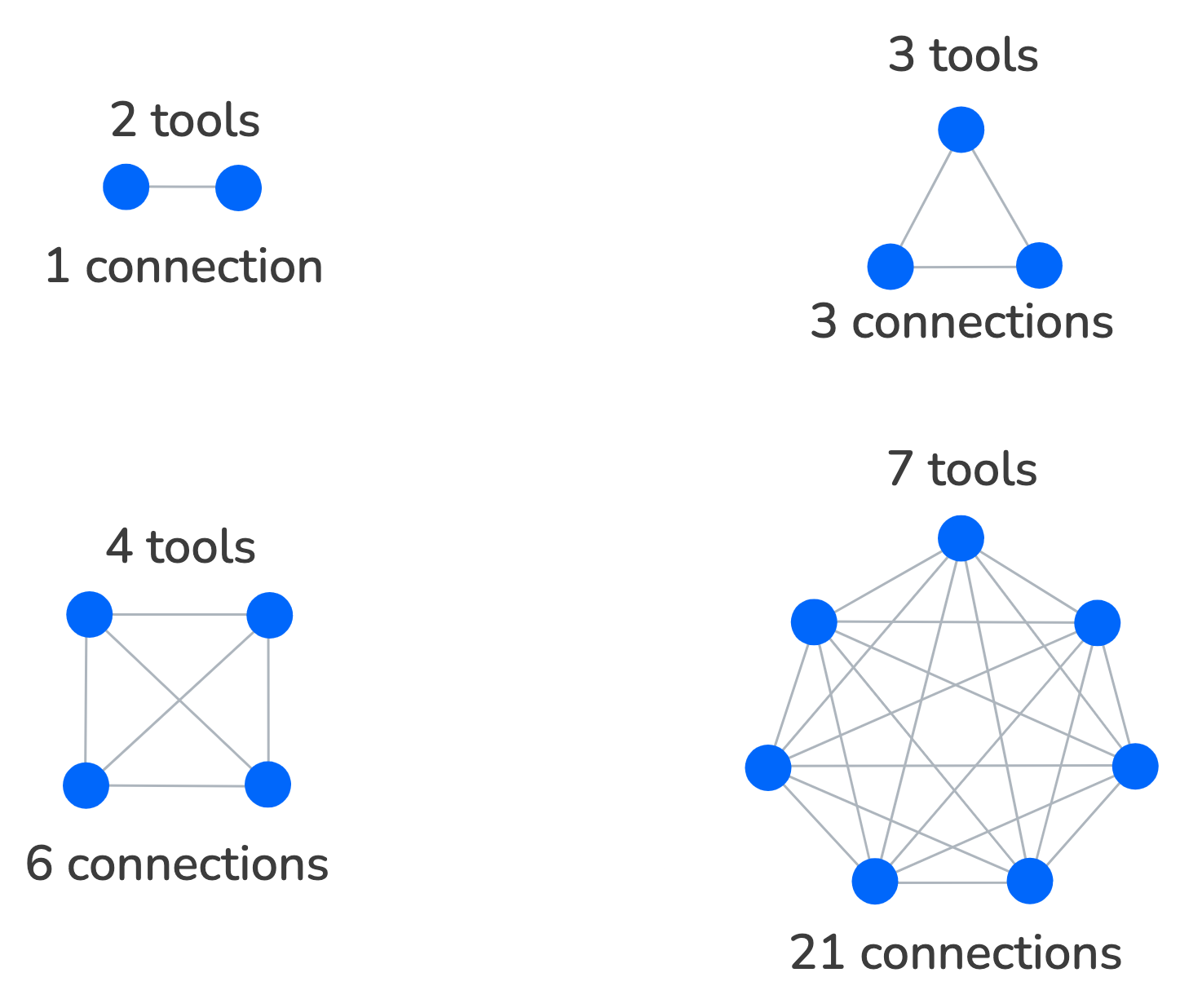
Every new tool you add multiplies the number of connections you need to maintain. Two tools need one connection. Three tools need three. Seven tools need twenty-one. The complexity doesn't scale linearly. It explodes.
The Onboarding Burden
When you hire a new support agent, they don't just need to learn how to talk to customers. They need to learn seven different tools, each with its own interface, its own logic, and its own quirks. What should take a few days stretches into weeks.
And even after onboarding, there's an ongoing cognitive load. "Which tool do I use for this?" shouldn't be a question your team has to answer multiple times a day.
The Data Fragmentation Problem
When your customer data lives in seven places, you don't have a single source of truth. You have seven partial truths. The CRM says one thing, the chat tool says another, and the session recording tells a completely different story.
This matters most when a customer reaches out for the second or third time. If your agent can't see the full history (previous conversations, what pages the customer visited, what emails they've received), they're starting from scratch. The customer has to repeat themselves. Trust erodes fast when someone has to explain their problem twice.
What Consolidation Looks Like
The alternative is a single platform where every tool already lives in the same dashboard, so your team can stay in one tab and focus on the customer.
When your live chat, CRM, help center, campaigns, session recordings, feedback collection, and announcements all live in the same dashboard, you eliminate:
- Tab switching. Everything is one click away, not five tabs away.
- Integration maintenance. There's nothing to connect because the data is already unified.
- Onboarding complexity. One tool to learn, not seven.
- Data fragmentation. One customer record with the full picture.
The Compounding Effect
Productivity gains from consolidation compound. When your agent can see a customer's session replay right next to their chat message, they resolve issues faster. When resolved issues automatically update the CRM, nothing falls through the cracks. When common questions get turned into help center articles that surface automatically in chat, ticket volume drops.
Each of these improvements feeds into the next. You're not just saving time on tool switching. You're building a support operation that gets better the more you use it.
Start With One Tab
Pavior brings live chat, session replay, CRM, email campaigns, feedback collection, in-app announcements, and a help center into a single dashboard, starting on the free tier. If your team is drowning in tabs, it might be worth seeing what happens when you close a few.
Try Pavior for free at pavior.com
Sources
- APA: Multitasking Research Summary
- Intercom: Pricing
- HubSpot: Sales Hub Pricing
- Freshworks: Pricing
- Mailchimp: Marketing Pricing
- Amplitude: Pricing
- Typeform: Pricing
- AnnouceKit: Pricing